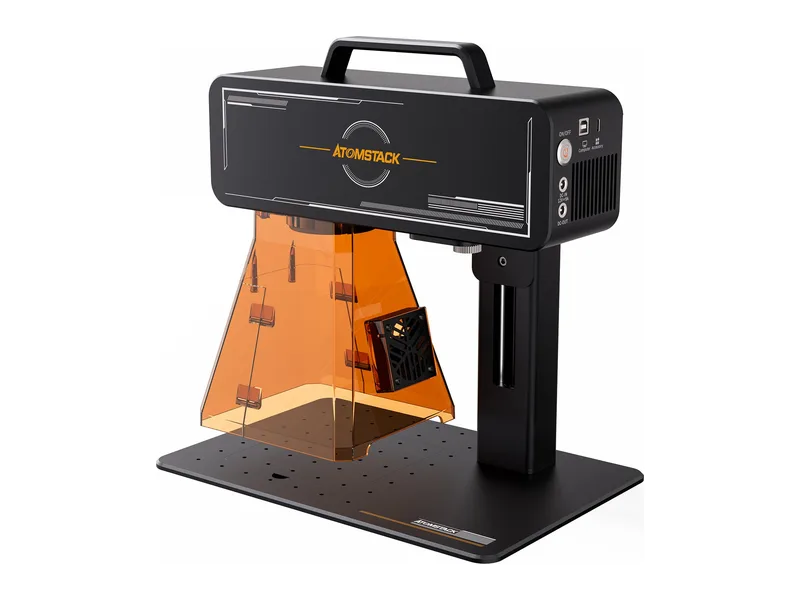
Dual laser · Portable · AtomStack
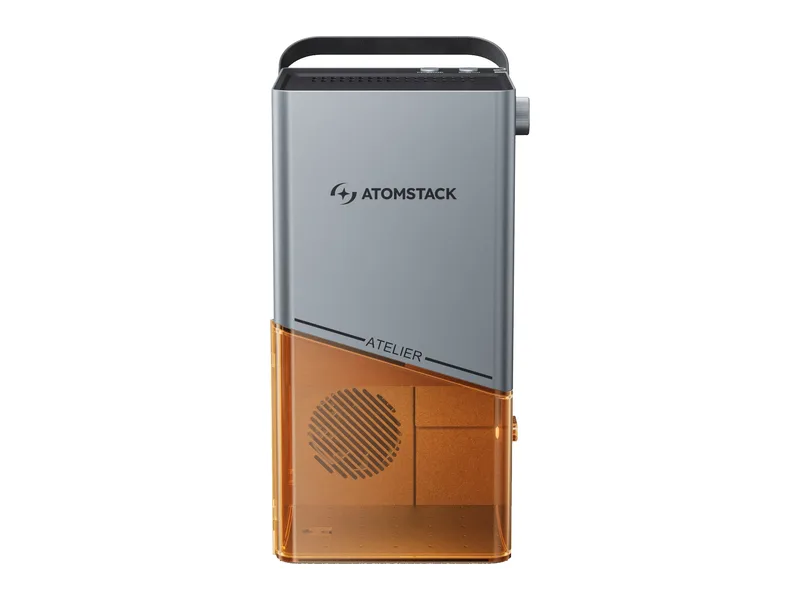
AtomStack M4 Pro
Market sellers and small shops who personalize small metal and wooden items and want one portable machine that does both
from $1,149 at AtomStack, checked Oct 22
Image: AtomStack. Prices change often; the shop shows the current price.
Quick verdict
The M4 Pro is AtomStack's portable galvo engraver with two sources in one head: a 10W 455 nm blue diode for wood, leather and dark acrylic, and a 2W 1064 nm infrared source for marking metals and plastics. Galvo scanning reaches a claimed 4,000 mm/s on the diode and 5,000 mm/s on the infrared, over a 100 x 100 mm field. It works on a stand or handheld, needs no assembly, and runs from AtomStack's app or LightBurn. The limits are real: 2W of infrared only marks metal, the diode cuts 8 mm wood at most, focus is manual by knob, and it is an open Class 4 device with filter shields. At $1,149 it costs close to a 20W fiber galvo.
What you still need
Ventilation or a fume extractor, since there is no enclosure or exhaust; the chuck or roller accessory for rings and tumblers (sold separately); extra glasses rated for both 455 nm and 1064 nm for anyone else in the room; a flat metal plate or fixtures for repeat jobs; and a LightBurn licence if you prefer it to the free AtomStack MakerMaterial reality check
The diode engraves wood, bamboo, leather, paper, fabric, food, plastics, dark acrylic, tinted glass, glazed ceramics, lacquered metal and anodized aluminum, and can surface-mark 304 stainless steel, and cuts thin wood (8 mm claimed) and black acrylic (5 mm claimed). The 2W infrared marks stainless steel, aluminum alloy, copper, gold, silver, plastics, leather and painted coatings. Neither source cuts metal, the diode cannot cut clear or blue acrylic, and the small field limits cutting to small parts. Never laser PVC or vinyl with either source.Better alternative if
if metal marking is the main job, a 20W fiber galvo such as the Gweike G2 does far more for about $200 more: Gweike G2 20WScores
Scored on the same scale for every laser on this site. See all lasers ranked.
Specifications
| Laser type | Dual laser |
|---|---|
| Form | Portable |
| Optical power | 10 W |
| Other modules | 2W 1064 nm infrared source in the same galvo head for marking metal and plastic; AtomStack does not say whether it is a fiber or diode-pumped source |
| Wavelength | 455 ± 5 nm (diode) and 1064 nm (infrared) |
| Work area | 100 × 100 mm |
| Max speed | 4,000 mm/s (diode) and 5,000 mm/s (infrared), galvo (maker claims) |
| Cutting (maker claim) | 8 mm wood and 5 mm black acrylic with the diode (maker claim, passes not stated); the manual gives 0.015 to 0.2 mm marking depth |
| Precision | 0.001 mm positioning accuracy and 0.03 mm spot (maker claims) |
| Air assist | None |
| Camera | No |
| Autofocus | No |
| Rotary support | Yes |
| Safety | Open Class 4 galvo device per the manual; front and rear light-filtering shields and goggles are included, with no door interlock, flame or tilt detection documented |
| Connectivity | USB, Wi-Fi (machine hotspot for the app) |
| Software | AtomStack Maker (Windows, macOS, iOS, Android), LightBurn (bought separately) |
| Weight | 4.8 kg |
| Price | from $1,149 at AtomStack, checked Oct 22 |
Pros and cons
Why we like it
- Two sources in one head: a 10W blue diode for wood and leather and a 2W 1064 nm infrared for marking bare metal and plastics
- Galvo scanning at up to 4,000 mm/s (diode) and 5,000 mm/s (infrared) finishes small tags and logos in seconds
- Lifts off the stand for handheld use on large or fixed objects, at 2.8 kg
- No assembly, and runs from a phone app or computer, with LightBurn support
- Built for batches: one-key repeat engraving and serial number, barcode and QR code support
Watch out for
- Only 2W of infrared, so metal work is surface marking, nothing like a 20W fiber galvo
- Small 100 x 100 mm field, and the diode is weak for cutting at 8 mm wood at best
- Open Class 4 device with filter shields only; no interlock, enclosure or fume extraction
- Focus is set by turning a knob until two light dots meet, despite the 'smart autofocus' wording
- We found no independent review, and AtomStack's own figures disagree on preview speed and handheld weight
Compare with
Frequently asked questions
What materials can the AtomStack M4 Pro cut and engrave?
The diode engraves wood, bamboo, leather, paper, fabric, food, plastics, dark acrylic, tinted glass, glazed ceramics, lacquered metal and anodized aluminum, and can surface-mark 304 stainless steel, and cuts thin wood (8 mm claimed) and black acrylic (5 mm claimed). The 2W infrared marks stainless steel, aluminum alloy, copper, gold, silver, plastics, leather and painted coatings. Neither source cuts metal, the diode cannot cut clear or blue acrylic, and the small field limits cutting to small parts. Never laser PVC or vinyl with either source.
What else do I need to buy with the AtomStack M4 Pro?
Ventilation or a fume extractor, since there is no enclosure or exhaust; the chuck or roller accessory for rings and tumblers (sold separately); extra glasses rated for both 455 nm and 1064 nm for anyone else in the room; a flat metal plate or fixtures for repeat jobs; and a LightBurn licence if you prefer it to the free AtomStack Maker
How much does the AtomStack M4 Pro cost?
From $1,149 at AtomStack, checked Oct 22.
How we rank: by our own scores for power, speed, ease of use, safety and value, from the maker's published specs and independent tests where they exist. Some links earn us a commission (for example TwoTrees, SainSmart, Gweike and Amazon). That never changes a score or the order of a list (disclosure).
Sources
- AtomStack M4 Pro product page and specifications
- AtomStack M4 Pro Shopify product data (prices, stock, images)
- AtomStack M4 Pro product parameter image
- ATOMSTACK M4 PRO user manual (ManualsLib)
- AtomStack collection page (Celebrate the Win spend-based discount tiers)