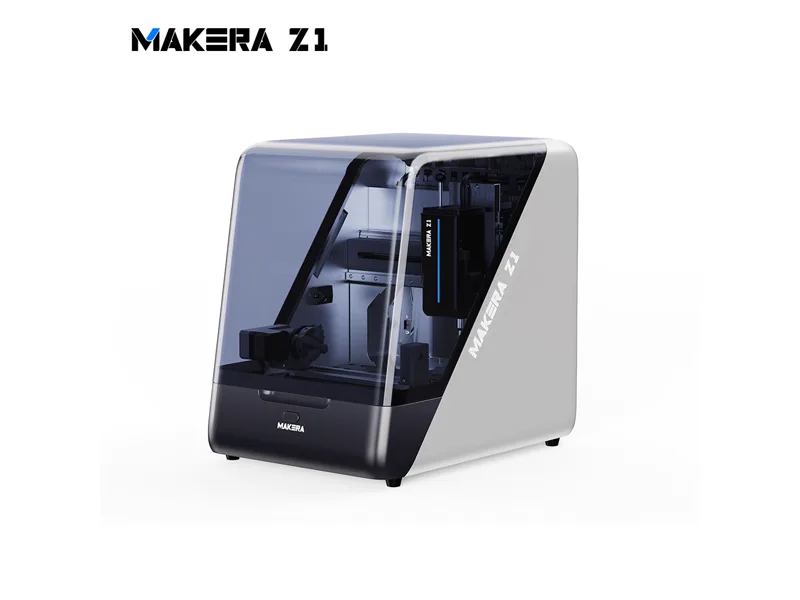
Image: Makera
Makera Z1 Desktop CNC
Makera
Best for: Beginners and makers producing small parts, PCBs and light-metal projects in an enclosed desktop format
Typical starting price
$1,399Editorial baseline for this machine
Overall score
Best current buying path
Where to buy
Prices change often: compare the stores below
- Shipping varies by retailer
- Check manufacturer site for availability
Affiliate link. We may earn a commission at no extra cost.
Quick verdict
The Z1 is Makera's smaller desktop machine with a 200 x 200 x 100 mm envelope, cast frame, linear rails and 150 W spindle. Its manual quick tool changer should not be confused with an automatic tool changer. Hackster's individual review reported roughly +/-0.15 mm in its metal tests; this is a test result, not a general accuracy guarantee. The base Z1 has lead screws and open-loop axis motors, while the Pro adds ball screws and closed-loop axes. The small envelope, modest spindle and software workflow remain practical buying considerations.
Who this fits best
Beginners and makers producing small parts, PCBs and light-metal projects in an enclosed desktop format
Buy this if
Beginners and makers producing small parts, PCBs and light-metal projects in an enclosed desktop format. Enclosed cast-frame machine with chip airflow to an outlet; external extraction is an additional consideration.
Skip this if
200 x 200 mm work area is small even for a desktop machine, and 150W spindle means slow, light cuts in metal.
What else you still need
Suitable cutters and secure workholding, replacement spoilboards as needed, and extraction suited to the material; a vacuum bed or vise is optional.
Material reality check
Wood, plastics, PCB material, carbon fibre, aluminium and brass in small parts. Not suitable for steel or other ferrous metals.
Better alternative if...
you want a larger working area and a 200 W spindle with manual quick tool changes. See Makera Carvera Air
Where it wins
- Enclosed cast-frame machine with chip airflow to an outlet; external extraction is an additional consideration
- Mills aluminium and brass in testing despite the small spindle
- Manual quick tool changer; maker specifies 0.01 mm spindle runout
- Optional 4th axis, vacuum bed and 5W laser from the same ecosystem
- Simple setup and job workflow through Makera's own app
Where it falls short
- 200 x 200 mm work area is small even for a desktop machine
- 150W spindle means slow, light cuts in metal
- Base Z1 uses lead screws and open-loop NEMA 17 motors; ball screws need the Pro
- A listed Mac user reports sluggishness and crashes in the Makera Studio beta; software experience varies by version
- Accessories push the real price well past the base $1,399
Specifications
200 × 200 mm
400 cm²
150W
150 W closed-loop spindle with manual quick tool change; maker claims 0.01 mm runout
Makera controller with the Makera App, NEMA 17 steppers (closed loop on Z1 Pro)
17 kg
$1,399
mid range
Full specification table
Relative to database
Benchmark Scores
Overall Score
Composite across 5 dimensions
Community Sentiment
We have not summarised owner feedback for the Makera Z1 Desktop CNC yet, so this section is intentionally left without claims. Check the sources for current owner discussions.
Community sentiment is aggregated from forums, Reddit, Discord, and manufacturer communities. Individual experiences may vary.