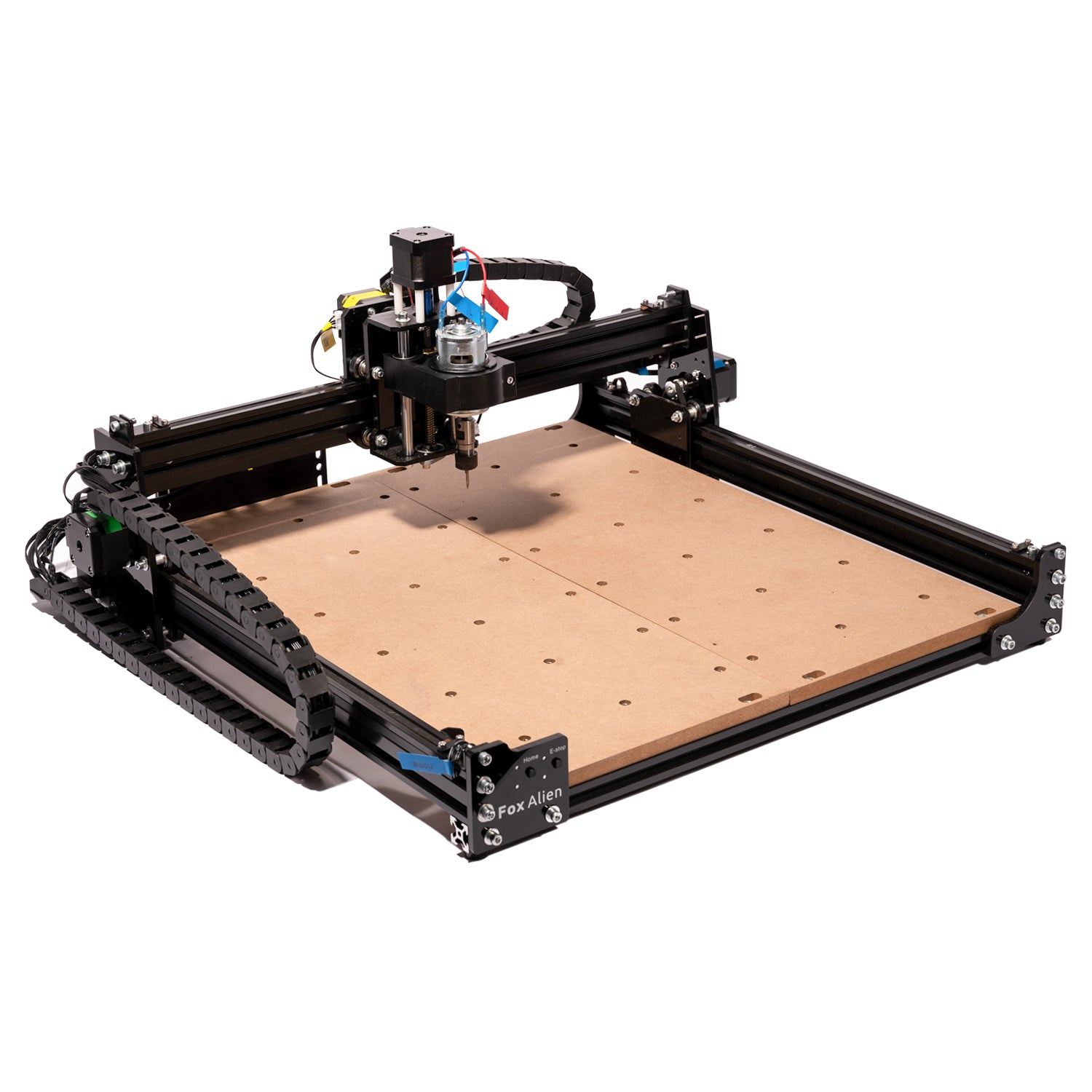
How to Choose a CNC Router: The Complete Buyer's Guide
If you want the short answer, buy the machine that matches your real projects, not the biggest work area or the loudest spindle spec. This guide shows where to spend, where to save, and which path actually fits the kind of work you want to do.
Best first move
Start by choosing your real use case: learning, woodworking, aluminum, or large-format sheet work. That answer matters more than brand loyalty.
Buy this if
Choose a starter machine if you mainly want to learn workflow. Choose a mid-range or premium machine if you already know your projects will be larger, cleaner, or more material-demanding.
Skip this mistake
Do not overspend on headline specs and underspend on bits, workholding, dust collection, and spindle quality. Those are what make the machine pleasant to own.
Best for most beginners
See our beginner picks
The cleanest way to start if you want fewer surprises and better support.
Best budget path
See the best routers under budget pressure
Useful if price matters more than long-term upgrade headroom.
Best for metal work
See the aluminum-capable shortlist
The right place to look when rigidity matters more than everything else.
Table of Contents
What Is a CNC Router and Who Needs One?
A CNC (Computer Numerical Control) router is a machine that uses a spinning cutting tool to carve, cut, and shape materials based on digital designs. Think of it as a robotic carving machine: you draw your design on a computer, and the CNC router follows those instructions to cut the shape out of wood, plastic, aluminum, or other materials.
Unlike a 3D printer that adds material layer by layer, a CNC router removes material from a block or sheet. This is subtractive manufacturing. Which process makes the better part depends on the material, geometry, tolerances and loading, so compare the actual project rather than assuming machining always wins.
CNC routers are used by hobbyists for woodworking, sign-making, and prototyping. Small businesses use them for custom products, jigs, and fixtures. Makers use them for everything from guitar bodies to custom enclosures. If you regularly find yourself needing to cut precise shapes from flat materials, a CNC router will save you enormous amounts of time compared to hand tools.
You might need a CNC router if you: make wooden signs or carvings, build furniture with repeatable joinery, prototype product enclosures, engrave PCBs, create molds or templates, or simply want to automate repetitive cutting tasks. If your projects involve one-off curved cuts in thin plywood, a scroll saw might suffice. But the moment you need repeatability, precision, or complex 2.5D/3D shapes, a CNC router is the right tool.
Key Specs Explained
Work Area (X, Y, Z)
The cutting area is the region the tool can reach, not necessarily the maximum stock size. X and Y describe horizontal travel; Z describes vertical travel. Also check gantry clearance, tool reach, spoilboard thickness and clamps before deciding whether a particular workpiece fits.
Z travel matters, but it is only part of the clearance calculation. Thick stock must fit below the gantry and tool, the cutter must reach the required depth, and the machine needs room to retract safely. Check the manufacturer's stock-thickness and through-cut limits alongside travel, especially for 3D carving.
For the X and Y axes, think about your typical project size. Sign makers and furniture builders generally want at least 600x600mm (about 24x24 inches). PCB engravers and jewelry makers can work within 200x200mm. If you plan to cut full 4x8 foot sheets of plywood, only a handful of machines (like the Maslow CNC) can handle that without tiling.
Spindle Power
The spindle is the motor that spins the cutting bit. Power is measured in watts (W) or horsepower (HP). More power means you can take deeper cuts, use larger diameter bits, and cut harder materials without stalling.
Small DC spindles suit light cuts with small tools. Trim routers add power and can machine hardwoods, plastics and aluminum when the machine and cutting strategy suit the job. A VFD spindle adds speed control and other integration options, but aluminum removal rate and continuous running still depend on rigidity, tool engagement and the specified cooling and duty limits.
Trim routers can be loud, while a water-cooled spindle removes the noise of a shaft-driven cooling fan. Cutting and extraction can still dominate workshop noise. Compare measured sound levels under the same conditions, and include the VFD, plumbing, cooling system and electrical installation when pricing a spindle conversion.
Frame Material
Frame rigidity affects cut quality and the load a machine can handle. Material matters, but so do beam size, unsupported span, joints, guides and the Z assembly. A well-designed aluminum machine can cut metals; a steel label alone does not prove that a machine is more rigid.
Motion System
The motion system is how the machine moves the spindle (and/or the workpiece) in the X, Y, and Z directions. It consists of two parts: the drive mechanism (belts, lead screws, or ball screws) and the linear guides (V-wheels, linear rails, or round rails). Both affect precision, speed, and rigidity. We break down drive mechanisms in the next section.
For linear guides: V-wheels riding on aluminum extrusions are the cheapest option but wear over time and are less rigid. Linear rails (also called profile rails or HGR-type rails) are the gold standard for hobby CNC, offering high rigidity and long life. Round supported rails are found on some mid-range machines and offer a middle ground.
Ball Screws vs Lead Screws vs Belts
The drive mechanism is one of the most important differentiators between CNC routers. Here is what you need to know about each type:
GT2/GT3 Timing Belts
Found on: earlier belt-driven Shapeoko models and the original X-Carve; check the exact model and axes.
Timing belts can give fast rapid moves at low cost. Their elastic stretch under load is a design consideration, especially with long belt spans. Belt width, tension, pulley size, frame stiffness and cutting load all matter, so compare measured performance of the complete machine rather than assigning an accuracy range to every belt drive.
- Fast rapid moves
- Low cost
- Simple maintenance
- Stretch under load
- Lower precision
- Need periodic tensioning
Lead Screws (ACME/Trapezoidal)
Found on: LongMill MK2.5 and selected Genmitsu models; the PROVerXL 4030 V2 uses ball screws on X and Y.
Lead screws convert rotation into linear motion through a sliding screw-and-nut contact. They can provide useful thrust at modest cost, with more friction than ball screws. Anti-backlash nuts use several adjustment or preload arrangements, including springs. Accuracy, backlash and speed depend on the screw, nut, supports and assembly, so check the complete machine rather than relying on a typical repeatability figure.
- Higher precision than belts
- More force for cutting
- No belt stretch; screws and supports still deflect under load
- Slower rapid speeds
- More friction/wear
- Can develop backlash over time
Ball Screws
Found on: PrintNC and selected Onefinity and Avid models; check each axis, since Avid PRO routers combine rack-and-pinion motion with a ball-screw Z axis.
Ball screws use recirculating balls between the screw and nut to reduce sliding friction. Preload can reduce axial play, but accuracy and repeatability also depend on screw grade, supports, alignment and the rest of the machine. Compare actual specifications and prices for the required size, and protect and lubricate the assembly as its manufacturer specifies.
- Highest precision
- Low friction, high efficiency
- Very low backlash with suitable preload and supports
- Expensive
- Sensitive to contamination
- Overkill for woodworking
Our recommendation: Anti-backlash lead screws are worth considering for a wood and plastic machine on a budget. Ball screws can be useful when positioning, thrust and efficiency justify the cost, including for aluminum. Belts can also produce useful work. Judge the whole machine against your parts and tolerances rather than choosing by drive type alone.
Frame Types: Steel vs Aluminum vs Wood
The frame is the backbone of your CNC router. Its rigidity determines how much force you can apply during cutting without the machine flexing, vibrating, or deflecting. Frame flex shows up as chatter marks, dimensional inaccuracy, and poor surface finish.
Steel Frames
Steel tube gives DIY builders a useful stiffness-to-cost option. PrintNC uses a bolted steel-tube frame, so welding is not a requirement of the standard design. Avid PRO machines instead combine aluminum extrusion with steel plates. Compare actual beam sections, joints and complete-machine rigidity rather than treating every steel frame as superior.
Best for: Metal cutting, maximum rigidity
Aluminum Frames
Aluminum extrusion is common in hobby CNC frames because it is modular and straightforward to assemble. Machined plates and castings offer other design options. Any of these can support useful wood, plastic or metal cutting when the sections, joints and unsupported spans suit the load; the construction label alone does not rank rigidity.
Best for: Woodworking, general hobby use
Wood/Plywood Frames
Plywood frames can keep the cost and complexity of a DIY machine down. Their performance depends on the design, assembly and condition, and moisture can affect dimensions. Check demonstrated results for your material and workload rather than assuming that every wooden frame is limited to soft materials or learning jobs.
Best for: Budget builds, learning
What Can You Actually Cut?
The materials a CNC router can handle depend on the machine's rigidity, spindle power, and motion system. Here is a practical guide to what different tiers of machines can cut:
Wood
CNC routers can machine softwoods, hardwoods, MDF and plywood, but practical cut size and speed depend on the whole setup. There is no universal 700 W minimum for hardwoods: cutter size, spindle torque, feed, depth and rigidity all matter. MDF and plywood also need effective dust extraction.
Plastic
Acrylic, HDPE, acetal and ABS can be machined with suitable tools and settings. Heat is the main challenge: rubbing, poor chip evacuation or recutting can melt the plastic. Match feed to spindle speed and use an appropriate sharp cutter, often a single-flute tool. Choose settings for the actual plastic and machine rather than a minimum wattage.
Aluminum
Aluminum puts rigidity, workholding and chip evacuation to the test. There is no universal 700 W minimum or ban on belt drives: the correct tool, feed and engagement matter. Carbide 3D specifies aluminum machining on the 130 W Nomad 3. Look for demonstrated cuts in the alloy you will use, and choose compatible lubrication and conservative initial settings.
PCBs (Printed Circuit Boards)
PCB isolation milling removes copper to separate traces. The required accuracy depends on the track spacing, cutter geometry and board flatness, so check those together. A height map can compensate for a board that is not perfectly flat, provided the sender and controller support it. Secure the board evenly and control the dust from fiberglass substrates.
Foam, Carbon Fiber, and Other Materials
Foam, composites, brass and copper each need a suitable cutter, setup and machining strategy. Foam still needs secure workholding and a clean cut. Carbon fiber and fiberglass need effective dust control. For non-ferrous metals, check the alloy and demonstrated machine capability; ball screws alone neither guarantee nor define that capability.
Budget Tiers: What You Get at Every Price
CNC routers range from under $200 to over $10,000. Here is an honest breakdown of what each price tier gets you, along with our recommended machines at each level.
Under $200 -- The Learning Machine
At this price, you get a small machine (typically 300x180mm work area) with a weak DC spindle (80-200W), aluminum extrusion frame, and GRBL-based controller. These machines are for learning CNC fundamentals: understanding G-code, feeds and speeds, toolpath generation, and work holding. They can engrave soft wood, cut PCBs, and do light plastic work. Do not expect to cut hardwood, metal, or anything bigger than a paperback book.
Check the actual model: the original Genmitsu 3018-PROVer uses round guide rods and lead screws on X, Y and Z, not V-wheels with a screw only on Z.
Best for: Students, absolute beginners, PCB prototyping, laser engraving (many accept laser modules).
A model to compare: Genmitsu 3018-PROVer V2; check its current complete price rather than assuming it fits an under-$200 budget.
Looking for the best value under $500? Check our Best Budget CNC Routers roundup.
$400 - $700 -- The Capable Hobbyist
This tier opens up machines with real cutting power. You can get a 400x300mm or even 600x600mm work area, a proper trim router mount (700-900W), and lead screw or belt drive. These machines can cut hardwoods, dense plastics, and some can handle soft aluminum with patience. Frame quality varies widely here: some use sturdy aluminum extrusion, others use plywood.
Compare the actual usable cutting area, stock clearance, supplied spindle, machine weight and drive system; this price range does not guarantee one standard specification.
Best for: Hobbyist woodworkers, sign makers, Etsy sellers making custom products.
For full-sheet work, compare the Maslow 4.1 kit and budget separately for its compatible router, work surface and anchors. Check current availability before treating any kit as an immediate purchase.
New to CNC? See our Best CNC Routers for Beginners guide for more options.
$800 - $1,500 -- The Serious Hobbyist
This is the sweet spot for most hobbyists. Machines at this level offer 750x750mm+ work areas, lead screw or ball screw drives, linear rails on some models, and metal frames. You can cut hardwoods confidently, tackle aluminum with the right approach, and produce work good enough to sell. Software ecosystems become more polished, with dedicated sender apps and beginner-friendly CAM tools.
Compare each complete package: useful cutting area, guides, drive type, tool clearance and whether the router, software and wasteboard are included.
Best for: Dedicated hobbyists, small workshops, Etsy businesses, custom woodworking.
A model to compare: Sienci LongMill MK2.5. The original X-Carve kit was discontinued, so do not treat an old X-Carve listing as a current alternative to the X-Carve Pro.
$1,500 - $2,500 -- The Premium Hobby Machine
At this budget, compare the features of specific machines rather than assuming ball screws, short assembly time or continuous production capability. Work area, guides, spindle, support and package completeness vary. Look for evidence that the candidate can make your parts at the required finish and tolerances.
Check usable cutting area, spindle torque and speed, tool clearance, guides and drive type for the exact configuration being quoted.
Best for: Serious hobbyists, small businesses, those who want to cut aluminum and hardwoods with confidence.
Compare current Onefinity configurations and the Shapeoko 5.1 Pro against your complete budget. The Shapeoko 5.1 Pro 4x2 is listed at $3,550 without legs, before selecting a spindle, so it does not belong in this $1,500 to $2,500 tier.
Want to cut aluminum? Our Best CNC Routers for Aluminum page ranks the top metal-cutting machines.
$2,500 - $5,000+ -- The Prosumer / Light Industrial
This budget can buy a more capable machine, but production readiness depends on the complete system. Compare rigidity, spindle, workholding, electrical integration, controller features and support. Do not dismiss a controller solely because it uses a GRBL-family firmware: Sienci's AltMill uses grblHAL. Match features such as probing, tool changes and recovery to your intended workflow.
Compare each quoted system's useful travel, clearance, frame, guides, drives, controller and spindle package; there is no single standard specification for this tier.
Best for: Small production shops, machinists, professional prototyping, anyone who cuts metal regularly.
Compare a complete Avid Benchtop configuration with a complete PrintNC build budget. For DIY, include electronics, spindle, enclosure, wiring, tooling, shipping and the fabrication work before deciding which offers better value.
Building your own? See our Best DIY CNC Kits roundup for open-source and kit options.
Common Beginner Mistakes
These are useful mistakes to check for before choosing and setting up a first CNC router:
1. Buying too small a machine
Choose a cutting area that fits your normal jobs, clamps and fixtures. A larger machine can reduce repositioning, but takes more space and money. Some oversized projects can be tiled or indexed on a smaller machine when the design and machine clearance allow it.
2. Ignoring dust collection
CNC routing produces enormous amounts of dust and chips. MDF dust is particularly harmful to breathe. Budget for a shop vacuum or dust collector, a dust shoe attachment for your router, and proper respiratory protection. Many beginners discover this after their first project coats everything in their workshop with fine dust.
3. Underestimating the learning curve of CAM software
Allow time to learn both CAD and CAM before expecting finished parts. Try a sample project in the software you are considering, generate toolpaths and check the workflow through to the machine. Integrated software and clear tutorials can help, but learning time depends on your starting skills and the work you want to make.
4. Skipping wasteboard surfacing
After completing assembly, alignment and safety checks, surface a suitable sacrificial wasteboard to make it parallel to the machine's XY motion. Check tram so a wide cutter does not leave ridges, and use a cutter size and shallow cut that suit the spindle and machine. A consistent support surface helps shallow engraving and repeatable cut depths.
5. Not budgeting for accessories
The machine price is not the total cost. Include cutters, workholding, extraction, protective equipment and any router or spindle not supplied. Add probing hardware if needed and check software licensing. VCarve Desktop and Pro are different paid editions, so price the edition that fits your job size and features. Build an itemized total rather than assuming one accessory allowance covers every machine.
6. Expecting a CNC to be "set and forget"
CNC routers require supervision while operating, even after you gain experience. A broken cutter, moving workpiece or fire can develop quickly. Follow the machine's safety instructions, remain able to stop it promptly and never treat an unattended cut as safe because previous jobs went well.
Our Top Picks by Category
Use these category guides to compare machines for your projects, then confirm current specifications and package contents with the manufacturer:
Frequently Asked Questions
What is the best CNC router for a beginner in 2026?
For a small learning machine, compare the Genmitsu 3018-PROVer V2. For larger projects, compare complete LongMill MK2.5 and Shapeoko 5.1 Pro packages. Check the tutorials and software workflow yourself, alongside cutting area, support and total setup cost, before deciding which is the best first machine.
Can a hobby CNC router cut aluminum?
Yes, with a suitable machine, cutter and setup. There is no universal 700 W threshold: Carbide 3D specifies aluminum machining for its 130 W Nomad 3. Compare rigidity, workholding, spindle speed and torque, and demonstrated results in the intended alloy. Start with appropriate tooling, chip evacuation and conservative engagement.
How much should I spend on my first CNC router?
Most people find the sweet spot between $500 and $1,500 for a first machine. Under $500 gets you a learning tool. $500 to $1,500 gets a capable hobby machine that can produce work good enough to sell. Over $1,500 is usually best reserved for people who already know they will use CNC regularly. Remember to budget an extra $200-400 for bits, clamps, dust collection, and other accessories.
Do I need a separate computer to run a CNC router?
Most CNC routers require a computer (Windows, Mac, or Linux) to send G-code to the machine's controller. The computer runs a "sender" application (like UGS, CNCjs, Carbide Motion, or gSender) that streams the cutting instructions. Some machines, like the Onefinity, have a built-in controller with a web interface, so you can use a tablet or phone. For CAD/CAM work (designing parts and generating toolpaths), a laptop or desktop is effectively required.
What is the difference between a CNC router and a CNC mill?
Routers and mills both remove material with a rotating cutter. Routers commonly emphasize sheet work, travel and high spindle speed, while mills commonly emphasize rigidity and metal machining. The categories overlap, especially for desktop machines. Compare the intended materials, tool sizes, torque, travel and workholding rather than using spindle-speed ranges as the definition.
Ready to Choose?
Browse our CNC router comparisons, check the source and date of each specification, and shortlist machines that fit your projects and workshop.
Parts for this guide
If you are buying after reading this, these are the specs to look for.
| Part | What to buy | Where to look |
|---|---|---|
| Starter wood-cutting end mill The reader needs a usable first cutter in the setup budget once a machine with a 1/4-inch collet is selected. | Solid carbide 2-flute upcut, 1/4-inch shank and cutting diameter, 1-inch cutting length, 2-1/2-inch overall length; requires a matching 1/4-inch collet. | |
| Low-profile spoilboard clamps The reader needs a complete way to secure first projects rather than budgeting for the machine alone. | Low-profile CNC clamps with M6 studs and matching M6 threaded inserts for a new MDF spoilboard; stud length must suit the board thickness and avoid the table beneath. |
"Search" buttons open a search for that exact spec, so compare listings against it before buying. Some links earn us a commission at no extra cost to you (disclosure).