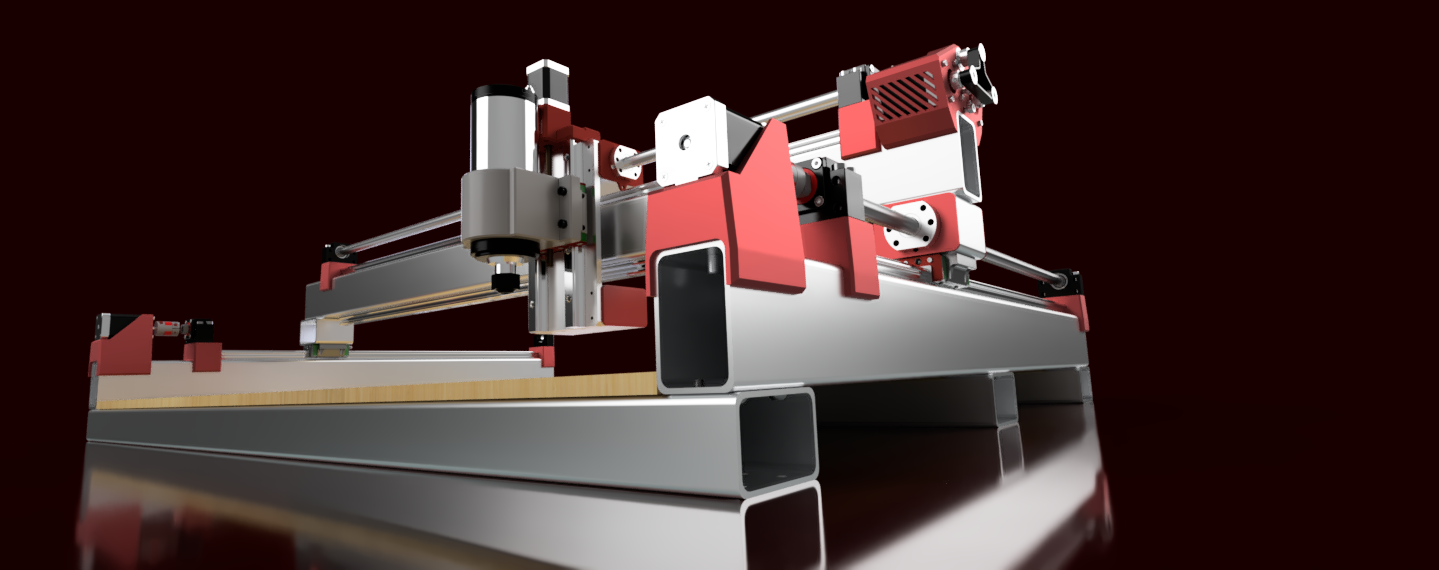
MPCNC vs PrintNC — When Rigidity Wins and When Accessibility Does
If you've narrowed it down to these two, you're asking the right question: do I want the cheapest capable CNC or the stiffest capable CNC? These two machines sit at opposite ends of the hobbyist CNC spectrum, and the difference is both philosophical and physical.
Table of Contents
- The Fundamental Difference: Conduit vs. Steel Tube
- Example Configurations at Different Work Areas
- Cost Reality: Full Machine Pricing
- The Community & Documentation Argument
- The Upgrade Path Argument
- When MPCNC Wins Decisively
- When PrintNC Wins Decisively
- Material Suitability Matrix
- The Honest Recommendation
- Verdict
- Shop This Guide
- Related Articles
If you've narrowed it down to these two, you're asking the right question: do I want the cheapest capable CNC or the stiffest capable CNC? These two machines sit at opposite ends of the hobbyist CNC spectrum, and the difference is both philosophical and physical.
MPCNC emphasizes accessible parts and a compact build. PrintNC emphasizes a steel structure with metal-mounted motion components. Choose by your work area, materials, required tolerances and complete budget.
The Fundamental Difference: Conduit vs. Steel Tube
This is where everything diverges.
MPCNC uses steel EMT conduit or compatible steel tubing. These rails are:
- Cheap (~$1–2 per foot)
- Light
- Measured outside diameter must match the selected printed parts
- Adequate in a small footprint
PrintNC uses structural steel tube sized for the chosen preset and span. The full-size design uses much larger sections than 25mm square with a thin wall. Steel tube is:
- More expensive (~$2–4 per foot)
- Larger structural sections can improve stiffness; compare section shape and wall thickness
- Structural tube still needs careful preparation and rail alignment
- Dramatically stiffer at larger spans
The physics: bending stiffness depends on material stiffness and the complete tube cross-section, while span strongly affects deflection. Compare the actual assembled geometry; a universal tenfold stiffness difference cannot be inferred from these wall thicknesses.
Example Configurations at Different Work Areas
The examples below use different work areas: MPCNC at 600 x 600mm and PrintNC at 300 x 300mm. They are not a controlled comparison of the two designs.
| Aspect | MPCNC 600×600 | PrintNC 300×300 |
|---|---|---|
| Frame Material | Steel EMT conduit or steel tubing | Structural steel tube matched to the chosen PrintNC preset |
| Rail System | 608 bearings on steel tubes | HG-series linear rails; separate ballscrew drives |
| Spindle | Makita RT0701C (Trim router) | 800W–1.5kW VFD spindle |
| Motors | Five NEMA17 motors | NEMA23 (required) |
| Build Cost | $500–700 | $800–1,100 |
| Z-Axis Stiffness | Good (lighter load) | Depends on guide support, geometry and tool overhang |
| XY Stiffness | Adequate | Very good |
| Precision (achievable) | Measure on representative parts | Measure on representative parts |
| Aluminum capability | Possible with suitable tooling and controlled engagement | Choose engagement and feed for the actual cutter and build |
| Surface finish (aluminum) | Depends on setup, tooling and finishing strategy | Depends on setup, tooling and finishing strategy |
| Best use case | Wood, acrylic, learning | Aluminum, precision parts |
PrintNC's steel structure is attractive for demanding cuts, but it need not have a smaller work area. Compare builds of similar size and separate design differences from the effect of span.
Cost Reality: Full Machine Pricing
MPCNC 600×600mm Complete:
- Frame kit/sourcing: $450–600
- Makita spindle: $95–120
- Controller (GRBL): $50–80
- Bits, PSU, misc: $50
- Listed subtotal: $645 to $850; verify what the frame quote includes and add omitted setup costs
PrintNC 300×300mm Complete:
- Steel tube & fasteners: $200–300
- HG-series rails and matching blocks, priced to the selected CAD/BOM
- Ballscrews & nuts: $100–150
- NEMA23 motors (×4): $120–160
- 800W spindle & mount: $120–150
- Controller (FluidNC): $50–80
- Assembly time: allow for fabrication, electronics and commissioning
- Complete total still needs the selected rail, driver, PSU, VFD/cooling, wiring and table costs
Cost difference : price complete builds of the size you need. PrintNC's architecture favors stiffness, but a valid performance comparison needs comparable cutting tests and measurements.
The Community & Documentation Argument
MPCNC:
- V1 Engineering wiki is polished, step-by-step
- V1 Engineering's own forum supports MPCNC builds
- Build videos can supplement the written assembly guide
- If you're stuck, someone has answered it before
- Beginner-friendly tone throughout
PrintNC:
- The project wiki is the current written documentation
- Use the wiki with CAD and Discord support for revision-specific questions
- Discord offers a place to ask revision-specific build questions
- Assumes some mechanical confidence
Both projects have written guidance and community support. PrintNC still requires mechanical and electrical confidence, and some wiki pages need checking against the selected CAD revision.
The Upgrade Path Argument
Some builders do MPCNC → PrintNC progression. The argument: start cheap, learn on MPCNC, then build PrintNC when you understand what rigidity costs.
This is valid. MPCNC is a good learning machine. If your work is small and you know you'll want aluminum eventually, it's a reasonable stepping stone.
Building both machines duplicates sourcing, assembly and commissioning work. If you already know the required size and materials, consider building the suitable design once.
When MPCNC Wins Decisively
- First CNC build: cost and confidence matter equally
- Work is primarily wood/acrylic/foam: MPCNC is perfectly adequate
- Work area under 500×500mm is fine: you don't need PrintNC size
- An active forum and accessible support matter to you
- Budget is hard constraint under $700: PrintNC won't fit
- You want the most documented learning path: MPCNC wiki is superior
When PrintNC Wins Decisively
- Aluminum is your primary material: MPCNC struggles
- Required tolerances justify a stiffer structure, confirmed by test cuts
- You've built something before: less need for hand-holding docs
- Surface finish matters : prioritize stiffness, runout, workholding and suitable cuts
- You want to maximize tool life: less breakage, less stress on bits
- You want more stiffness at your chosen size, with the cost and weight it brings
Material Suitability Matrix
| Material | MPCNC 600 | PrintNC 300 | Winner |
|---|---|---|---|
| Wood (soft) | Excellent | Good (overkill) | MPCNC (adequate, cheaper) |
| Hardwood | Good | Excellent | PrintNC (better finish) |
| Plywood | Good | Suitable with appropriate tooling | MPCNC (larger area) |
| Acrylic | Excellent | Good (overkill) | MPCNC (adequate) |
| MDF | Excellent | Good (overkill) | MPCNC (adequate) |
| Aluminum | Possible with suitable tooling and engagement | Excellent | PrintNC (by far) |
| Delrin/Acetal | Good | Excellent | PrintNC (better finish) |
| Brass | Okay | Good | PrintNC |
| Soft composites | Good | Excellent | PrintNC |
For wood and acrylic, MPCNC can be enough. For frequent aluminum work, PrintNC's structural design is worth considering. Material hardness alone does not set the machine choice.
The Honest Recommendation
Choose MPCNC if:
- Your work is wood, acrylic, foam, MDF
- You're new to CNC and want an accessible build with community support
- Work area of 500×500mm is sufficient
- Budget is under $800
Choose PrintNC if:
- Aluminum is part of your work
- You need stiffness for your tolerances and will verify it on real parts
- Surface finish quality is important
- You have some mechanical experience
- You're comfortable using the wiki, CAD and community support together
- You've outgrown MPCNC or want to skip the stepping stone
Verdict
MPCNC is the best entry-level CNC for its price and community. PrintNC is the best rigid small-format machine for aluminum. They're not really competing—they serve different needs.
If you're genuinely torn, ask: "Will I cut aluminum in the next year?" If yes, PrintNC saves you time and frustration. If no, MPCNC is the faster, cheaper path to useful cuts.
Shop This Guide
| Component | MPCNC | PrintNC |
|---|---|---|
| Frame | V1 Engineering kit → | |
| Spindle | Makita RT0701C → | 800W VFD Spindle → |
| Motors | StepperOnline NEMA23 → | StepperOnline NEMA23 (×4) → |
| Controller | Any GRBL board (~$50–100) | |
| Rails/Drive | V-wheels or linear upgrade | + |
Parts for this guide
If you are buying after reading this, these are the specs to look for.
| Part | What to buy | Where to look |
|---|---|---|
| Primo bearing pack MPCNC Primo rolls on 608 bearings running on steel tubes. | 45 bearings matching the stock Primo BOM, 608 sealed type for its printed tube-running assemblies; not MGN blocks or pillow blocks. | |
| Primo GT2 drive components MPCNC Primo drives X and Y with belts, not screws. | 10mm-wide fiber-reinforced GT2 belt at 2mm pitch, four 16-tooth pulleys with 5mm bores, plus the BOM's eight matching idlers; size belt lengths from the Primo calculator. | |
| PrintNC XY guides Full-size PrintNC uses HGR20 rails with flanged HGW20CC blocks. | HGR20 rails with matching HGW20CC flange blocks for the selected full-size V4 build, supplied to its CAD lengths and block counts. |
"Search" buttons open a search for that exact spec, so compare listings against it before buying. Some links earn us a commission at no extra cost to you (disclosure).