CNC Spindle Quick Buying Guide: Trim Router vs VFD Spindle — What to Actually Buy
For most buyers the real decision is simple: start with a trim router if you are still learning, move to a 1.5kW VFD kit when noise or duty cycle becomes the bottleneck, and only step into 2.2kW when the rest of the machine can actually use it.
Best for most beginners
Makita RT0701C
Cheapest clean starting point if you want fewer setup headaches and mostly cut wood, MDF, and signs.
Best upgrade
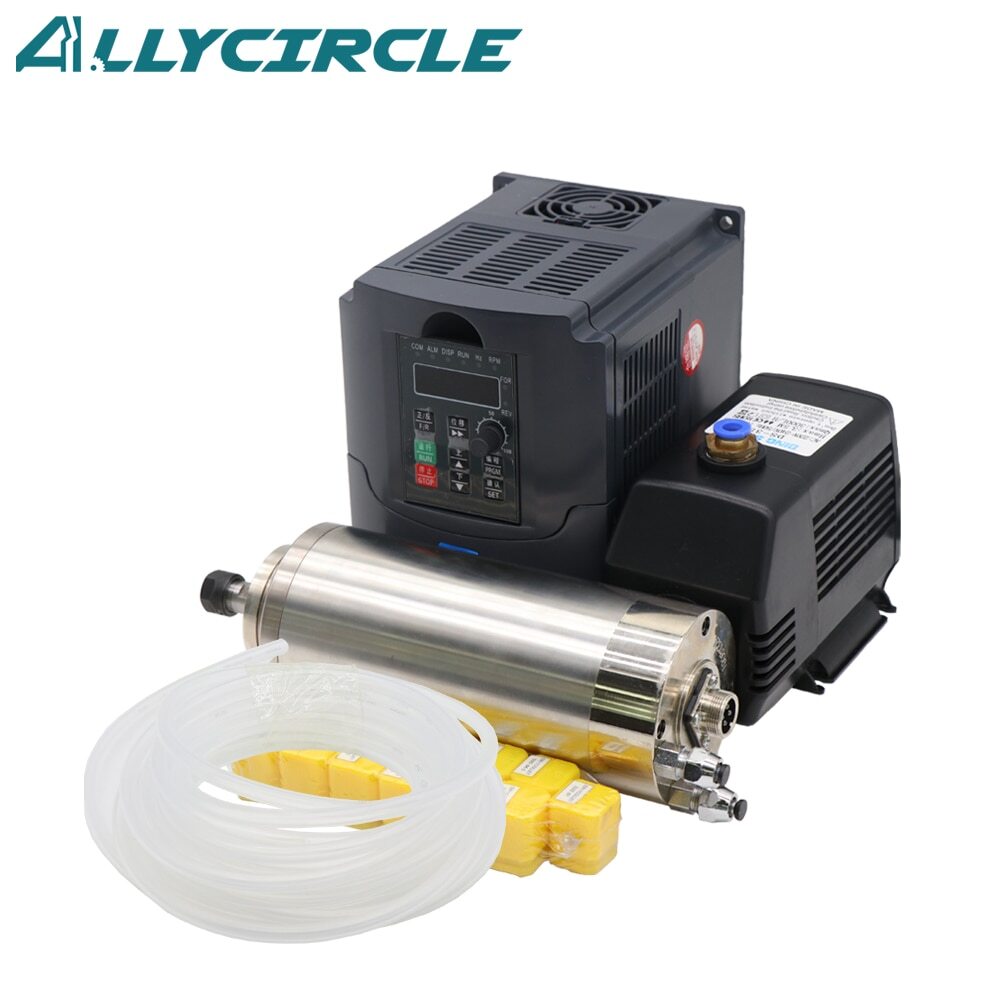
1.5kW water-cooled spindle kit
A possible upgrade for lower idle motor noise and ER collets; check the exact spindle's cooling, duty rating and compatibility.
Skip this mistake
Do not buy a huge spindle just because it sounds serious. If the frame, Z-axis, and workholding are weak, the extra spindle size mainly adds cost and weight.
Table of Contents
- The Decision That Matters Most
- The Decision Tree
- The Simple Recommendations
- What You'd Actually Buy: The Honest Recommendation
- The Trim Router Path: Makita RT0701C
- The VFD Spindle Path: 1.5kW Water-Cooled
- Quick Spec Comparison
- Installation Difficulty
- The Upgrade Path That Expensive
- What We'd Actually Buy Right Now
- Shop This Guide
- Related Articles
The Decision That Matters Most
The spindle is the most expensive single component of a hobby CNC after the frame. Get it wrong and you're living with poor results or dropping $200–300 more later.
This guide cuts through the noise. No tables. No specs you don't need. Just: Here's what to buy in your situation.
The Decision Tree
Question 1: What's your budget for a spindle alone?
- Less than $150? → Skip to Q2
- $150–250? → Skip to Q3
- Over $250? → Skip to Q4
Question 2: (Under $150) Is noise a dealbreaker?
- No, noise is fine → Makita RT0701C trim router ($80–100)
- Yes, need quiet → Look at used spindles or save more money
Question 3: ($150–250) Do you plan to cut aluminum?
- No, just wood/MDF? A compatible trim router may be enough; compare a complete 1.5 kW spindle/VFD kit if you need different collets or speed control.
- Maybe sometimes → Still 1.5kW; it handles light aluminum fine
- Yes, regular aluminum? Choose by rigidity, tooling, required torque at cutting RPM and collet size; either power class may fit.
Question 4: (Over $250) Is this a serious hobby or approaching semi-pro?
- Serious hobby, just want the best → 1.5kW water-cooled (don't overspend)
- Semi-pro, cutting aluminum often? Match the spindle to the process, machine rigidity and available electrical supply.
- Maximum budget, want the best experience → Upgrade your frame before upgrading spindle
The Simple Recommendations
| Situation | Best Choice | Price | Why |
|---|---|---|---|
| First CNC ever, tight budget | Makita RT0701C | $80–100 | Entry-level, reliable, upgradeable |
| First CNC, home garage (noise matters) | Model-verified 1.5 kW kit; some VEVOR versions use ER11 | $180–220 | Lower idle motor noise is possible; cutting and dust extraction remain noisy |
| Upgrading from trim router | Model-verified 1.5 kW kit; confirm collet, diameter and voltage | $180–220 | Useful if its speed range, collet and duty rating meet your needs |
| Want aluminum capability | 1.5kW or 2.2kW Vevor | $180–280 | Either can work when the machine and tooling suit the cut |
| Aluminum is the main goal | 2.2kW Vevor | $240–280 | More rated power, if the machine and process can use it |
| Maximum performance | 1.5kW (spend money on frame instead) | $180–220 | Frame rigidity matters more |
What You'd Actually Buy: The Honest Recommendation
Year 1 (learning, tight budget):
Makita RT0701C trim router ($80–100). No VFD setup, no water cooling, just plug and go.
Year 2 (ready to upgrade):
Consider a 1.5 kW water-cooled spindle only after checking its torque-speed data, mounting mass, collet and VFD requirements. A rating on the label is not a measured performance comparison with your router.
This staged approach can avoid spending on a spindle before the machine can use it. Price the complete kit, mount, cooling and wiring, then address whichever part of the machine actually limits your work.
The Trim Router Path: Makita RT0701C
Pros:
- Cheapest option ($80–100)
- Reliable, proven, widely used
- Easy to control (just turn a dial)
- No VFD setup or firmware configuration
- Variable speed: 10,000 to 30,000 RPM
- Great for detail work and small cuts
Cons:
- Noisy, especially alongside cutting and dust extraction
- Makita lists 1-1/4 maximum HP; this is not a continuous-output comparison with a spindle nameplate
- Can route hardwood with suitable tooling and engagement
- Aluminum is possible on a suitable CNC with appropriate cutters, engagement and chip evacuation
- Supplied with a 1/4-inch collet; other compatible collets are available for smaller tooling
- Can be fussy with speed control
A trim router can handle MDF, hardwood and suitable aluminum work on a properly set up CNC. Upgrade when a specific limit, such as collet capacity, speed control or duty rating, matters to your jobs.
The VFD Spindle Path: 1.5kW Water-Cooled
Pros:
- Water cooling removes the spindle's shaft-driven cooling fan; cutter, pump and extraction noise remain
- Powerful (handles wood, MDF, light aluminum)
- Potentially lower idle motor noise than a brushed trim router
- Collet: check the exact model; the cited VEVOR 1.5 kW family includes ER11, not just ER16 or ER20
- Speed control: VFD keypad or compatible controller interface, often analog voltage or communications, depending on the VFD
- Professional feeling
Cons:
- VFD setup requires correct motor parameters, mains wiring, protective earth and control-interface configuration
- Water circulation needed (simple but one more thing)
- More expensive ($180–220)
- Heavier (harder to mount)
- Requires 110V or 220V depending on model
A suitable spindle can be a useful upgrade, but choose it after checking materials, tooling, low-speed limits, cooling, mass and the machine's mounting capacity.
Quick Spec Comparison
| Spec | Makita RT0701C | 1.5kW VFD Spindle | 2.2kW VFD Spindle |
|---|---|---|---|
| Price | $80–100 | $180–220 | $240–280 |
| Noise | No comparable measured value supplied | No comparable measured value supplied | No comparable measured value supplied |
| Power | 1-1/4 maximum HP, manufacturer marketing rating | 2.0 hp | 3.0 hp |
| Max RPM | 30,000 | 24,000 | 24,000 |
| Collet | 1/4" | Model-dependent; ER11 on the referenced VEVOR kit | ER20 |
| Cooling | Air (fan) | Water | Water |
| Speed Control | Manual dial | Keypad or compatible VFD interface | Keypad or compatible VFD interface |
| Wood/MDF | Good | Excellent | Excellent |
| Hardwood | Capable with suitable tooling and engagement | Good | Good |
| Aluminum | Possible on a suitably rigid CNC | Depends on the machine and cutting parameters | Depends on the machine and cutting parameters |
| Learning Curve | None | Low (VFD setup) | Low |
Installation Difficulty
Makita RT0701C: secure its motor body in a correctly sized router mount, fit the proper collet and cutter, and check the machine setup before cutting.
1.5 kW VFD: fit the spindle mount, wire and earth the system to its manuals, set motor and control parameters, verify cooling and test stop behavior.
2.2 kW VFD: repeat the compatibility checks for mass, mount, motor current, VFD input rating, cooling and stopping; it is not simply the same kit at a heavier weight.
If you like tinkering, VFD is fine. If you want plug-and-play, Makita.
The Upgrade Path That Expensive
Mistake: Buy a $200 spindle on day 1 when your frame needs $300 of upgrades.
Reality: A spindle is only as good as the machine holding it. A rigid frame with a trim router beats a wobbly frame with a 2.2kW spindle.
A better sequence is to identify the limitation, price the complete remedy and then upgrade. Frame, tooling, workholding or extraction can matter before a new spindle.
What We'd Actually Buy Right Now
Absolute beginner (this is my first CNC):
→ Makita RT0701C ($80–100). Upgrade the spindle in a year after you understand what you need.
Second machine or upgrading from trim router:
Choose a complete 1.5 kW kit only after checking the exact motor and VFD. VEVOR offers ER11 versions with different body diameters and voltages, so match the listing and supplied manual to your machine.
Aluminum is a real requirement:
For aluminum, choose the spindle around tooling, torque at cutting RPM, rigidity and chip evacuation. A 2.2 kW label is not a safety margin or a guarantee of a better cut.
Shop This Guide
Parts for this guide
If you are buying after reading this, these are the specs to look for.
| Part | What to buy | Where to look |
|---|---|---|
| Beginner trim router A first-time buyer needs a cutting motor with straightforward speed control and a compatible mount. | Makita RT0701C, 120 V regional model, 10,000 to 30,000 RPM, with a 1/4-inch collet and machine-compatible body clamp. | |
| Makita small-tool collet A trim-router buyer using small engraving cutters needs a correctly sized collet. | Elaire MRP-1250, 1/8-inch collet specifically listed for RT0701C; buy the shank size actually used by your cutters. | |
| ER11 collets for the cited 1.5 kW kits A buyer of an ER11 spindle needs collets that fit existing imperial-shank cutters. | ER11 collets in 3.175 mm and 6.35 mm for 1/8-inch and 1/4-inch cutters; verify the spindle really uses ER11 and select the matching nut. | |
| Spindle mounting clamp A reader upgrading from a trim router needs to mount the selected spindle without overloading or misfitting the Z axis. | Rigid split clamp matching the exact body diameter, commonly 65 mm or 80 mm among the referenced VEVOR models, with a mounting pattern compatible with the Z plate. |
"Search" buttons open a search for that exact spec, so compare listings against it before buying. Some links earn us a commission at no extra cost to you (disclosure).