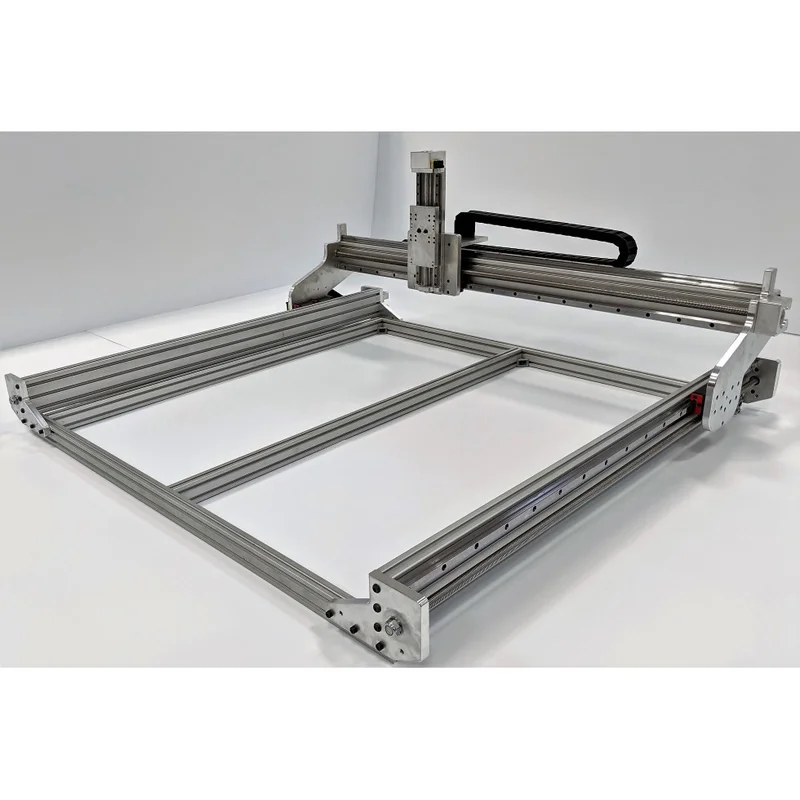
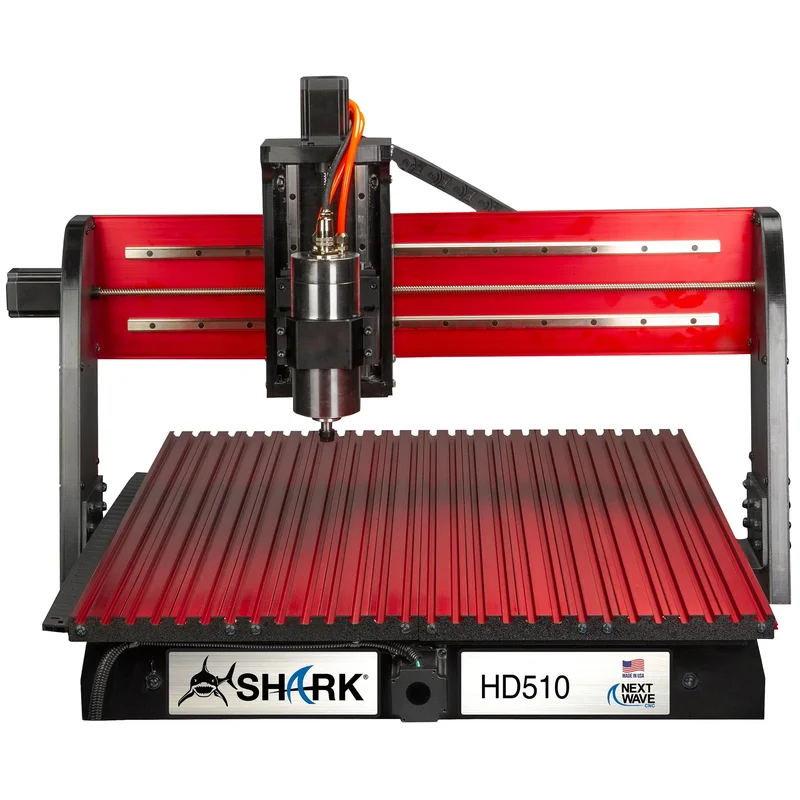
Our Pick: CNC4Newbie NewCarve CNC Router
It wins 8 out of 10 comparison categories while costing $300 less.
CNC4Newbie NewCarve CNC Router wins 3 of 4 spec categories. CNC4Newbie NewCarve CNC Router costs $300 less. CNC4Newbie NewCarve CNC Router leads by 4 points overall — here’s where those points come from:
Benchmark Scores
Side-by-side score comparison across all five benchmark dimensions.
Overall
CNC4Newbie NewCarve CNC Router
Pros
- Linear rails on all axes for precise, smooth motion
- Thick aluminum plates and extrusion form the frame
- Machined plates and square linear guides
- NEMA 23 motors are available as an option
Cons
- Budget separately for the spindle or router and its mount
- Mechanical-kit support excludes third-party electronics setup
- Assembly is more complex than plug-and-play competitors
- CAM and control software depend on your chosen electronics; paid CAM is not mandatory
Next Wave Shark HD500 CNC Router
Pros
- VCarve Desktop software included ($350 value)
- Color touchscreen pendant and VCarve Desktop included
- Precision-ground steel rails provide smooth motion
- 635mm Y travel suits smaller signs and narrow workpieces
- US-based company with phone support
Cons
- Proprietary controller limits third-party software options
- 330mm cutting width limits larger projects
- Premium price for the work area compared to Onefinity or Shapeoko
- CAM still needs the correct Next Wave postprocessor
- Check accessories and work envelope before planning larger projects
Verdict
CNC4Newbie NewCarve CNC Router wins this comparison with 8 categories to 2.
It wins 8 out of 10 comparison categories while costing $300 less.
Where to Buy
Price-first merchant links with the clearest reason to click first.
CNC4Newbie NewCarve CNC Router
$1700Next Wave Shark HD500 CNC Router
$2000As an Amazon Associate I earn from qualifying purchases. Affiliate links may earn a commission at no extra cost.
Frequently Asked Questions
What is the difference between CNC4Newbie NewCarve CNC Router and Next Wave Shark HD500 CNC Router?
The CNC4Newbie NewCarve CNC Router ($1,700) features a 900W spindle with a 610×610mm work area and a 6061-T6 aluminum plates and aluminum extrusion, square linear guides and lead screws frame. The Next Wave Shark HD500 CNC Router ($2,000) features a 710W spindle with a 330.2×635mm work area and a Aluminum table and steel-reinforced gantry, linear guides and anti-backlash lead screws frame. Overall, the CNC4Newbie NewCarve CNC Router wins more comparison categories.
Which is better value for money — CNC4Newbie NewCarve CNC Router or Next Wave Shark HD500 CNC Router?
The CNC4Newbie NewCarve CNC Router is $300 cheaper at $1,700 vs $2,000. Our value scores rate the CNC4Newbie NewCarve CNC Router higher at 62/100.
Which router is easier to set up and use?
Based on our ease-of-use benchmarks, the Next Wave Shark HD500 CNC Router scores higher (88/100 vs 45/100). Both support UGS, CNCjs, Mach3 among other software options.
Related Comparisons
CNC 3040 Router (AliExpress) vs CNC4Newbie NewCarve CNC Router
$350 vs $1700
CNC 3040 Router (AliExpress) vs Next Wave Shark HD500 CNC Router
$350 vs $2000
Avid CNC Benchtop Pro 2436 vs CNC4Newbie NewCarve CNC Router
$2800 vs $1700
Avid CNC Benchtop Pro 2436 vs Next Wave Shark HD500 CNC Router
$2800 vs $2000