V-Bits for CNC Routers: The Complete Guide to Angles, Cuts, and Quality
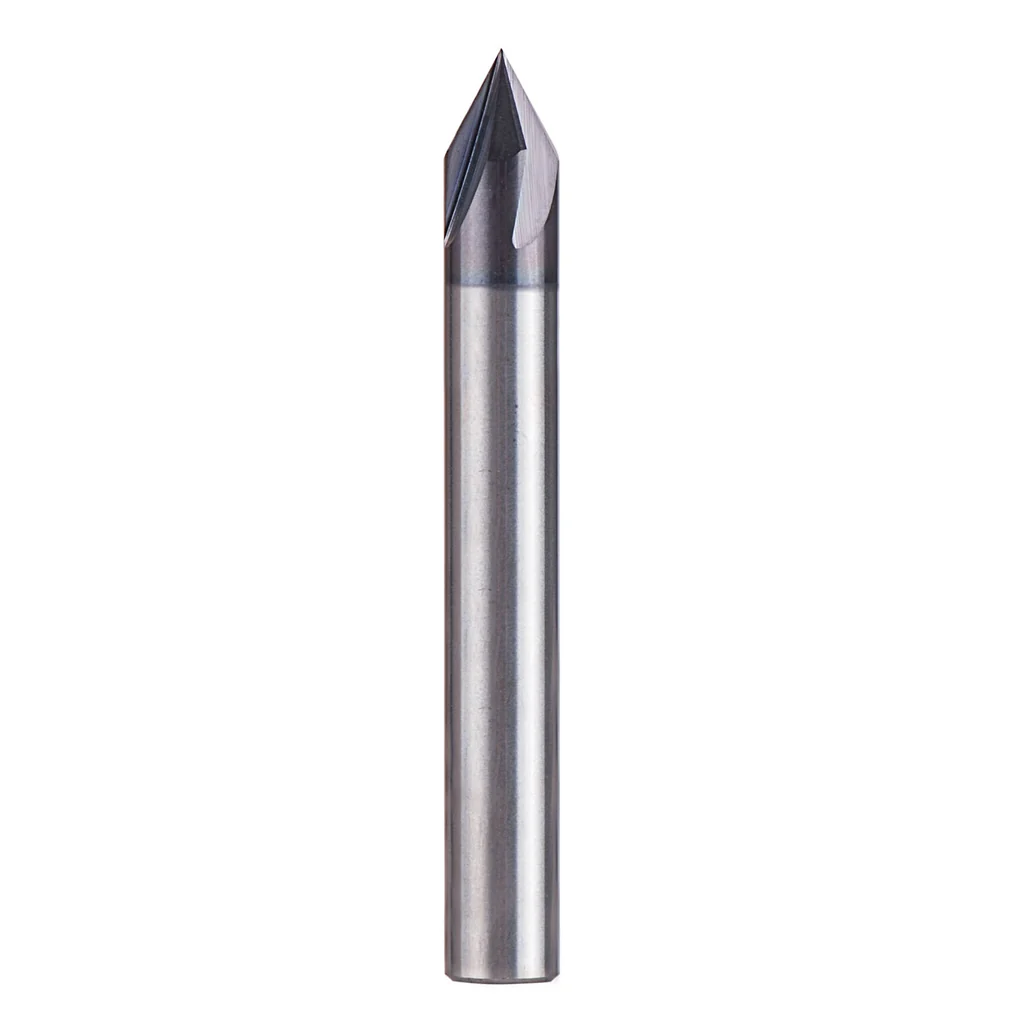
A V-bit creates a V-shaped groove. The depth of the cut varies with the width you want—this is why they exist.
Table of Contents
- What V-Bits Actually Do (And Why Angle Matters)
- The Angles: 30°, 45°, 60°, 90°, and 120°
- Tip Radius and Its Impact
- The Included Angle Problem: Quality Matters
- Carbide vs HSS
- V-Carving Toolpath Basics
- Material Recommendations by Angle
- Speeds and Feeds for V-Bits
- The V-Carving Simulation Workflow
- Ball Nose vs V-Bit Confusion
- Real-World Tip Quality Test
- What We'd Buy
- Parts for this guide
- Related Articles
What V-Bits Actually Do (And Why Angle Matters)
A V-bit creates a V-shaped groove. The depth of the cut varies with the width you want—this is why they exist.
A V-bit cuts a wider groove as it goes deeper. A V-carve toolpath uses that geometry to fit the cutter between the design boundaries; straight cutters can also change depth, but their diameter stays constant.
The included angle determines the character of the groove and limits what you can do with it.
The Angles: 30°, 45°, 60°, 90°, and 120°
30°: Extreme fine detail, very sharp V-grooves, but the tip is fragile
- Best for: Ultra-fine text, decorative line work, inlay
- Limitation: Minimum line width is very small; one mistake ruins it
- Use when narrow grooves or closely spaced details call for an acute angle.
45°: Fine detail with slightly more margin for error
- Best for: Detailed text, decorative carving, medium fine work
- Limitation: Still requires precision; tip is somewhat fragile
- Use when the design needs a narrower groove than a wider-angle cutter provides.
60°: The sharp engraver's angle
- Best for: Fine text, small logos, crisp, detailed carving
- Margin for error: Better than 30° or 45°, but still unforgiving
- Limitation: Very sharp point; even small runout becomes visible
- A useful angle for detailed lettering.
90°: The standard V-carving angle
- Best for: Signs, decorative work, general V-carving, the most versatile choice
- Depth sensitivity: A wider angle changes groove width more for the same Z-height error
- Limitation: Not as crisp for tiny text; less detail capability than 60°
- A practical general-purpose choice for V-carving.
120°: Shallow chamfer angle
- Best for: Edge chamfering, very shallow surface decoration
- Useful for broad, shallow V-carving as well as decorative edge work
- Useful when a design needs width without much depth.
Recommendation for hobbyists: Start with 90°. Get good with it. Add 60° for fine detail work.
Tip Radius and Its Impact
V-bits may have a pointed tip, a specified flat tip width, or a radius. These are different geometries, so use the actual tool specification in CAM.
A small tip is vulnerable to damage; check it before detailed work.
Impact on your work:
- Smaller tip flat or radius: Can resolve finer details, with a more delicate cutting edge.
- Larger tip flat or radius: Limits fine detail and changes the groove bottom; durability depends on the cutter and use.
- A visibly blunt or damaged tip may not reproduce the intended groove.
The factory radius is usually fine. Sharper isn't always better.
The Included Angle Problem: Quality Matters
This is where cheap V-bits fail: the included angle is inconsistent.
If the actual included angle differs from the CAM tool definition, groove width and inlay fit will be wrong. An asymmetric or damaged edge can also spoil the cut.
Good V-bit characteristics:
- Included angle matches the CAM definition and the maker specification
- Both flutes cut equally (symmetrical)
- Sharp cutting edges
- Tip geometry matches the tool specification
How to verify:
- Use the maker drawing and a measured test cut to check the CAM definition
- Magnifier: Look at the tip—it should look perfectly symmetrical
- Test cut: A shallow V-groove should be straight, not wiggling side to side
Buy from suppliers with documented geometry and cutting recommendations, such as Whiteside, Amana or Onsrud. Judge value by repeatable cuts and tool life, not price alone.
Carbide vs HSS
Carbide: Standard for CNC. Holds sharpness much longer, maintains angle consistency, worth the price.
HSS (high-speed steel): Older, cheaper, dulls faster, harder to keep sharp. Skip it for CNC V-carving.
Get carbide. The difference is worth $10.
V-Carving Toolpath Basics
A V-carve toolpath:
- Analyzes the width of lines in your design
- Varies cutting depth so the V-bit traces the outline and creates proportional grooves
- Narrow lines = shallow grooves; wide lines = deep grooves
This only works if:
- Your design provides the closed boundaries required by the chosen V-carve operation
- Your CAM software supports V-carve toolpaths (Fusion 360, VCarve, Carbide Create all do)
- You use an actual V-bit (not a straight bit)
Preview the toolpath with the correct cutter definition, then test on scrap. Simulation shows the programmed result; it cannot detect a physical bit with the wrong angle or a setup error.
Material Recommendations by Angle
| Angle | Best Material | Why | RPM | Feed |
|---|---|---|---|---|
| 30° | Hardwood, acrylic | Fine detail, precision | Use cutter-specific RPM | Use cutter/material feed data |
| 60° | Hardwood, MDF, acrylic | Fine detail, professional look | Use cutter-specific RPM | Use cutter/material feed data |
| 90° | Any wood, MDF, acrylic | Versatile, forgiving | Use cutter-specific RPM | Use cutter/material feed data |
| 120° | Wood signs and shallow decorative grooves | Wide grooves at shallow depth | Use cutter-specific RPM | Use cutter/material feed data |
Speeds and Feeds for V-Bits
Choose V-bit feeds and speeds for the cutter, material and engagement, keeping in mind:
- The tip is small and delicate
- You want precise detail
- Chatter on the point ruins the cut
General starting point:
- RPM: Start with the cutter maker recommendation and stay below its maximum speed.
- Feed: Use the cutter maker data, then adjust for material, engagement and machine stiffness.
- Depth: The design and angle determine groove depth unless capped; also set safe pass depths for the tool and material.
Softwoods: Test for fuzzy edges and tearout at the recommended cutting settings.
Hardwoods: Check load and finish before increasing engagement.
Plastics: Maintain chip formation and evacuation to limit heat and melting.
The V-Carving Simulation Workflow
- Design: Create your linework (text, logos, simple outlines) in your design software
- Import to CAM: Bring it into Fusion 360, VCarve, or Carbide Create
- V-carve toolpath: Select the required closed boundaries and enter the actual cutter angle and tip geometry.
- Preview the programmed cut, then check the real cutter, stock surface and zero setting
- Adjust if needed: Wrong angle? Tweak it. Design problems? Fix in CAD.
- Post and cut: Only then send to the machine
Previewing catches many programming mistakes; a scrap test checks the real setup.
Ball Nose vs V-Bit Confusion
These are not interchangeable:
- V-bit: Creates V-shaped grooves, used with V-carve toolpaths, for linework and text
- Ball nose: Rounded tip, used for 3D surface carving, creates smooth curves and 3D effects
Use the cutter geometry supported by the toolpath. A ball nose produces a rounded groove bottom; a V-bit produces angled walls. They give different results.
Know which toolpath you're using, then pick the right bit.
Real-World Tip Quality Test
Before cutting your masterpiece:
- Make a shallow test cut in scrap at a depth suitable for that cutter.
- Look at the groove: Is it straight? Consistent width? Clean edges?
- If the groove is uneven, check the tool, runout, workholding, surface flatness and machine motion.
- Fix (new bit or spindle work) before committing to the real project
Make the test part of setup before committing the real work.
What We'd Buy
For V-carving work:
- 90-degree V-bit, 1/4-inch shank: A useful first cutter for signs and general V-carving.
- 60° V-bit 1/4" shank ($18–25): Fine detail when 90° isn't sharp enough
- Whiteside 1502: A 90-degree V-bit with a 1/4-inch shank. The 1508 needs a 1/2-inch collet and is a much larger cutter.
- Check the maker tool drawing and make a measured test cut before detailed work.
Look for documented cutters from Whiteside, Amana or Onsrud, and use the matching CAM tool definition.
Parts for this guide
If you are buying after reading this, these are the specs to look for.
| Part | What to buy | Where to look |
|---|---|---|
| 90-degree V-bit The reader needs a documented general-purpose cutter for a first sign or decorative V-carve. | Carbide-tipped, 90-degree included angle, 1/4-inch shank, 1/2-inch cutting diameter; requires a true 1/4-inch collet. | |
| 60-degree V-bit The reader needs a narrower-angle cutter when small lettering or closely spaced details require deeper narrow grooves. | Carbide-tipped, 60-degree included angle, 1/4-inch shank, 1/2-inch cutting diameter; enter the actual tool profile in CAM. |
"Search" buttons open a search for that exact spec, so compare listings against it before buying. Some links earn us a commission at no extra cost to you (disclosure).