CNC Feeds and Speeds Calculator — instantly compute the correct spindle RPM, feed rate, plunge rate, and material removal rate for your CNC router or mill. Enter your material, cutter geometry, and tool material to get optimised parameters in real time.
Getting feeds and speeds wrong wastes tools, damages workpieces, and can stall your spindle. Too slow and you rub instead of cutting, generating heat; too fast and you risk tool breakage. This calculator removes the guesswork for both beginners and experienced machinists.
Used daily by CNC hobbyists, prototype shops, and production machinists working with aluminium, steel, plastics, and wood.
Quick Formula
Units & Material
Tool Geometry
Cutting Parameters
Results
How to Calculate Feeds and Speeds
- Find the recommended surface speed for your material and tool material combination. Carbide tools run 2-3x faster than HSS.
- Calculate RPM: RPM = (Surface Speed in m/min × 1000) / (π × Cutter Diameter in mm). For imperial: RPM = (SFM × 12) / (π × Diameter in inches).
- Look up chip load per tooth for your material. The reference value is for a 6 mm cutter; scale it by √(actual diameter / 6 mm).
- Calculate feed rate: Feed = RPM × Number of Flutes × Adjusted Chip Load.
- Apply chip thinning if your radial depth of cut is less than 50% of the cutter diameter. The effective chip thickness decreases, so you must increase feed to maintain proper chip load.
Worked Example
Cutting Aluminium 6061 with a 6 mm 3-flute carbide end mill, RDOC 3 mm, ADOC 6 mm:
RPM = (250 × 1000) / (π × 6) = 13,263 RPM
Chip load for Alu6061 at 6 mm = 0.05 mm. RDOC is 50% of diameter so no chip thinning.
Feed = 13,263 × 3 × 0.05 = 1,989 mm/min
MRR = 3 × 6 × 1989 / 1000 = 35.8 cm³/min
Common Mistakes
- Using HSS surface speeds with carbide tools (you will be cutting 60% too slow).
- Ignoring chip thinning — at low RDOC your effective chip load drops, causing rubbing and heat.
- Not scaling chip load for cutter diameter — a 12 mm end mill needs a higher chip load than a 3 mm.
- Running too many flutes in aluminium — 2-3 flutes are ideal; 4+ causes chip packing.
Frequently Asked Questions
What surface speed should I use for aluminium?
For 6061 aluminium with a carbide end mill, start at 200-300 m/min (650-1000 SFM). For HSS, reduce to 80-120 m/min. Adjust downward for deep cuts or long-reach tools.
How do I calculate chip load for a different cutter diameter?
Chip load scales approximately with the square root of cutter diameter. Multiply the reference chip load (at 6 mm) by sqrt(your diameter / 6). A 12 mm cutter gets about 1.41x the chip load of a 6 mm.
What is chip thinning and when does it matter?
When your radial depth of cut is less than 50% of cutter diameter, the actual chip is thinner than the programmed chip load. You need to increase feed rate to compensate, or you will rub instead of cutting. This calculator adjusts automatically.
What is a good MRR for hobby CNC?
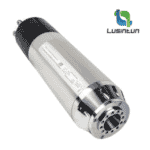
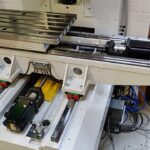
For aluminium on a hobby CNC router with a 2.2 kW spindle, 10-30 cm3/min is typical. For steel on a converted knee mill, 5-15 cm3/min is achievable. Always ramp up gradually.
Should I use climb or conventional milling?
Climb milling (cutter rotation matches feed direction) gives better surface finish and tool life on rigid CNC machines. Use conventional milling on machines with significant backlash.
How do I adjust for a less rigid machine?
Reduce chip load by 30-50%, reduce radial depth of cut, and consider using fewer flutes. Rigidity matters more than spindle power for most hobby setups.